

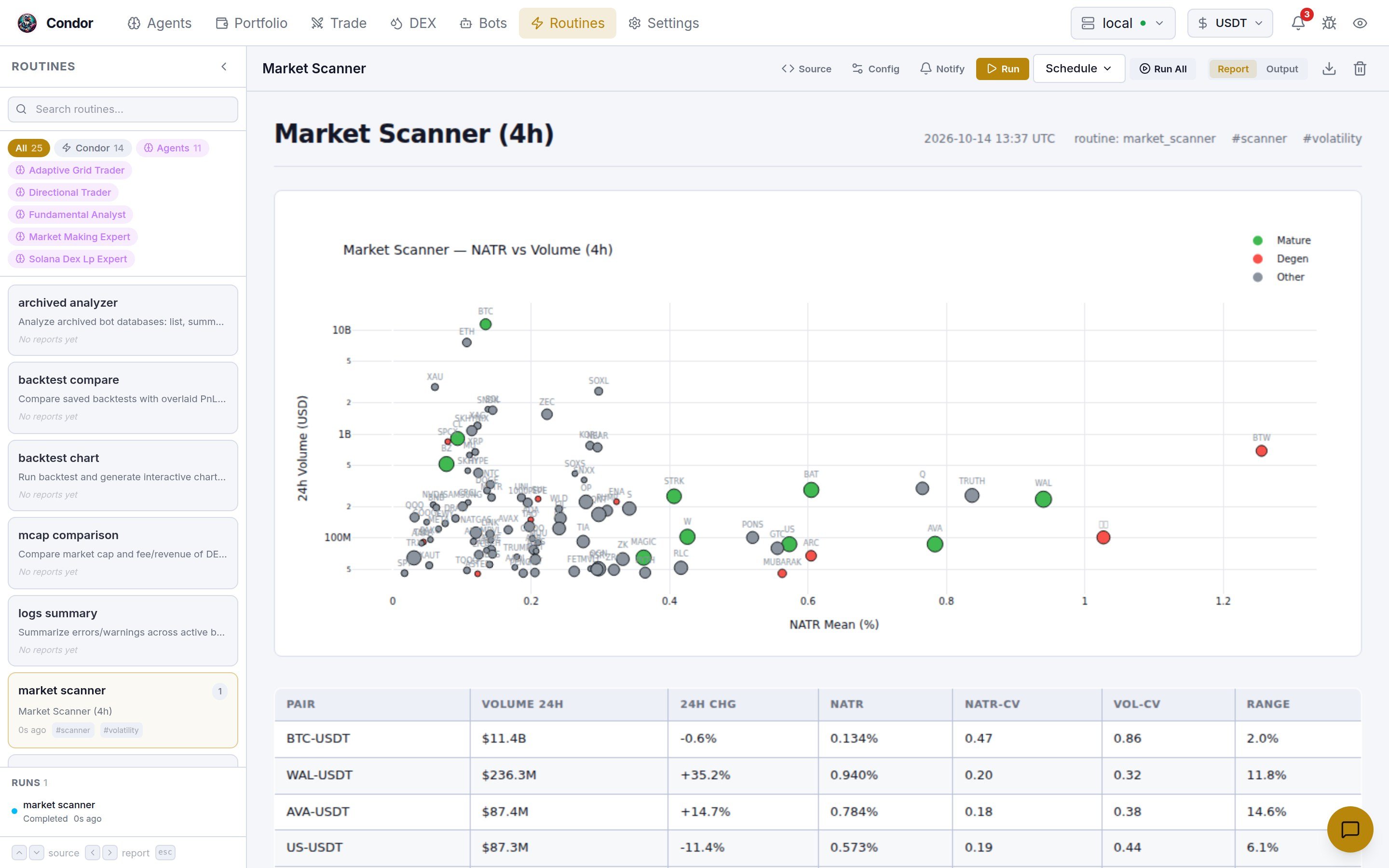
The library sidebar
- Search filters the list by name, description or category.
- Scope chips choose whose routines you see:
- All: everything.
- Condor: the general and shared routines.
- Agents: every agent’s own routines.
- One chip per agent: only that agent’s routines.
- Routine cards show the name, the latest report’s title, how long ago it ran, up to two tags, and the number of reports. An agent’s routine carries the agent’s badge. A green dot means it’s running or scheduled.
- Runs lists the runs Condor still holds in memory, newest first, with their status and schedule. Hover over a running or scheduled run and click Stop to end it. Runs that saved no report, including failed ones, appear here too.
Running a routine
Select a routine and use the buttons in the header:
Report and Output switch between the routine’s saved reports and the text or table its last run returned.
A continuous routine keeps running after you click Run. Stop it from the Runs list.
Workspace schedules are kept in memory, so they end when Condor restarts. Telegram schedules are restored when Condor starts. For daily runs at a fixed time, use Telegram.
Reading reports
The routine’s newest report opens on the right.- Step through older reports with the previous and next buttons, the time strip above the report, or the ← and → keys.
- ↑ and ↓ move to the previous or next routine. Esc closes an open panel.
- The download button saves the report as a standalone HTML file.
- The delete button removes the report after you confirm.
/reports redirects here. See Reports to build your own.
Links
Other pages link straight into this one with URL parameters:
For example,
/routines?routine=market_scanner opens the market scanner and its latest report.
Using Telegram
/routines lists the general and shared routines. Agents’ own routines aren’t listed there.
- Pick a routine. Its config is shown as
key=valuelines. Send newkey=valuelines to change it. - For a one-shot routine, tap ▶️ Run, 🔄 Background, or ⏱️ Schedule. For a continuous routine, tap ▶️ Start.
- ⏱️ Schedule offers every 30s, 1m, 5m, 15m, 30m or 1h, or 📅 Daily… at 06:00, 09:00, 12:00, 18:00, 21:00 or any time you send as
HH:MM. Daily times are in UTC. - ⏹ Stop All stops a routine’s running instances. 📋 Running lists everything that’s running.