

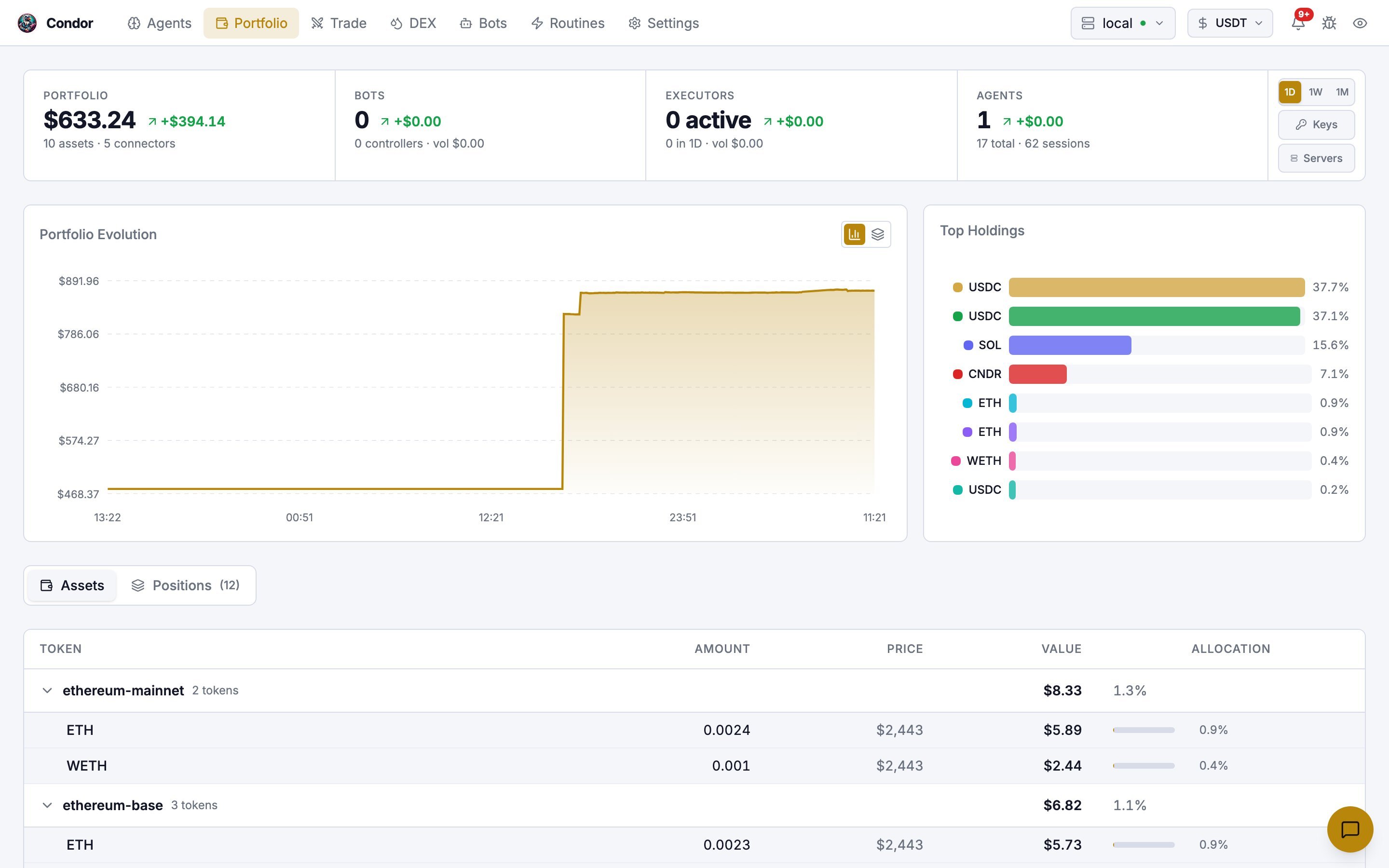
The KPI strip
Four figures sit across the top. They’re summaries, not links.
At the right end of the strip:
- 1D / 1W / 1M sets the period for the change figures, the executor stats and the chart. The page opens on 1W.
- Keys opens Settings → Keys and Wallets.
- Servers opens Settings → Servers.
Charts
- Portfolio Evolution plots total value over the selected period. The two buttons in its header switch between a line chart and a stacked area chart, which splits the total by token.
- Top Holdings shows your eight largest balances as bars.
Assets and Positions
A toggle below the charts switches the table.-
Assets lists every balance, grouped by connector or network (for example
binanceorsolana-mainnet-beta). Each group shows its token count, total value and share of the portfolio, and collapses when you click it. Each token row shows amount, price, value and allocation. -
Positions shows what you’re in, with a count on the tab:
- Holds: perpetual and spot positions held by executors and bot controllers, with side, size, entry, mark, unrealized PnL, leverage and source. Click a row to open that pair on the Trade page.
- Liquidity: open LP positions, with state, a bar showing where the price sits in the range, value, fees and PnL. Click a row to open the pool on the DEX page.
Display currency
The currency selector in the top bar (next to the server selector) sets the currency for every value on the page: USDT, BTC, BRL or EUR. If a token or network is missing, check that its credentials or wallet are set up under Settings → Keys and Wallets. See Exchange Credentials.Using Telegram
/portfolio sends a text summary: the total value and a balance table for each connector. See Seeing Your Portfolio. Telegram has no period selector or charts.
Using Hummingbot API
The page reads two Hummingbot API endpoints:POST /portfolio/state for balances and POST /portfolio/history for the chart. You can call them directly. /portfolio/state takes account_names and connector_names filters:
Learn more
- Seeing Your Portfolio: the Telegram summary
- LP Executor: what’s behind the Liquidity rows