

loops/<loop>/loop.md. An agent can own several loops. An agent with no loop of its own gets a generic Default loop, driven by its AGENT.md, the first time you start it.
Each time you start a loop in Loop mode, Condor opens a new session: a numbered run with its own journal, its own per-tick snapshots and its own executors. This page shows you how to watch a session, pause it, stop it and read what the agent did on each tick.
For what a session is and what Condor writes to disk, see Sessions.
The agent page
Open an agent from Agents in the Workspace, or go to/agents/<slug>. Choose a loop in the selector under the agent’s name.
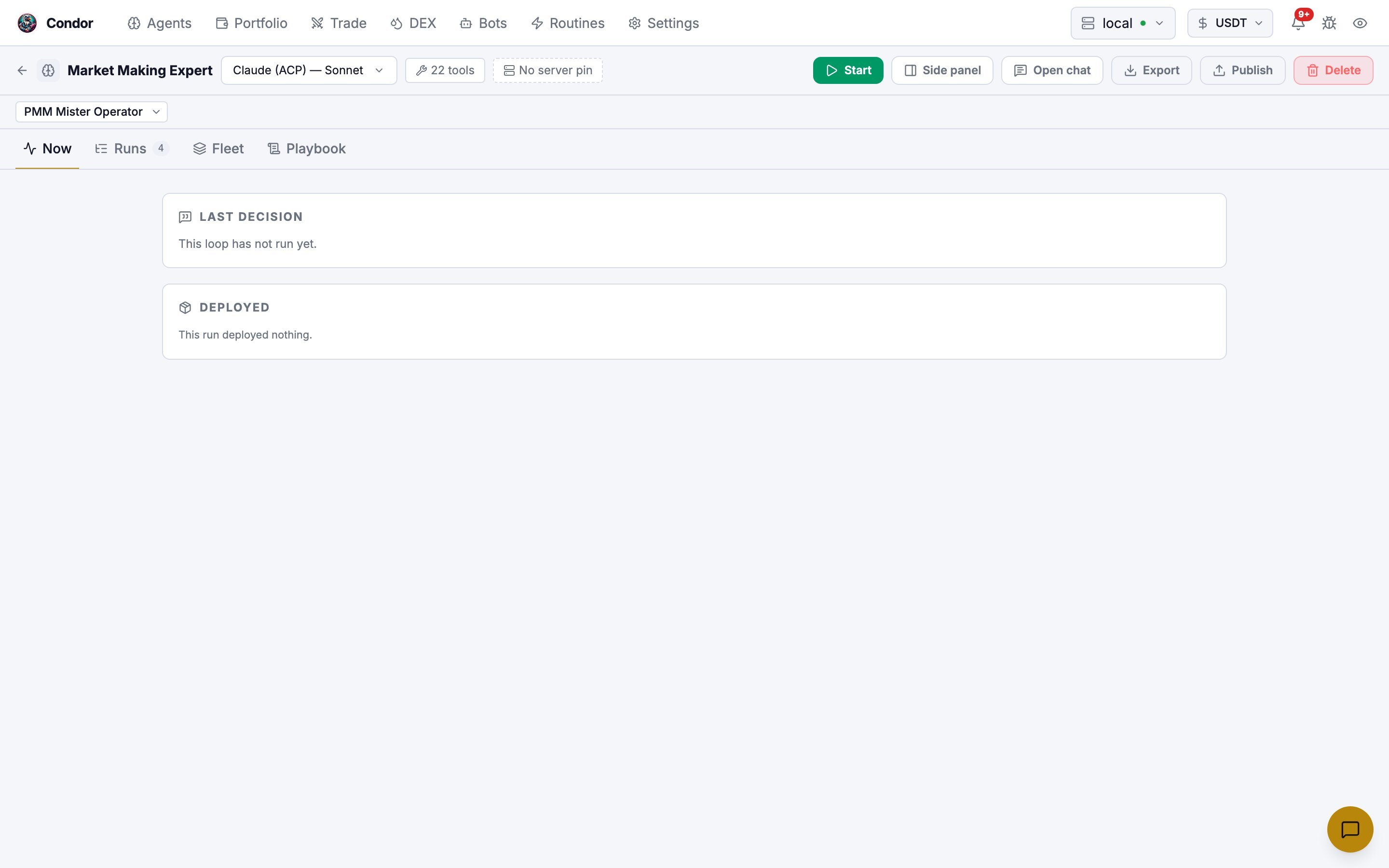
Start a session
Click Start to open the Start New Session dialog.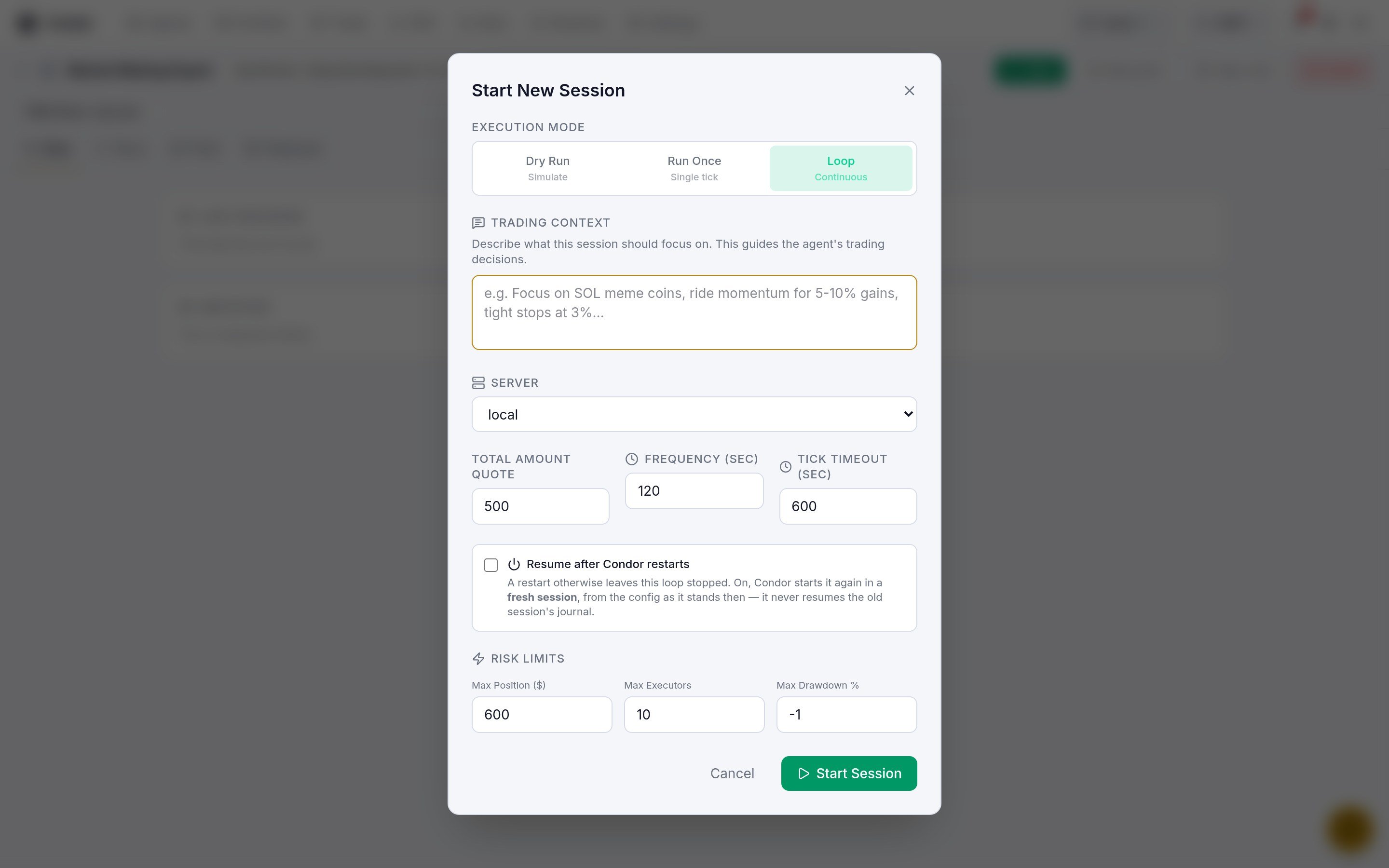
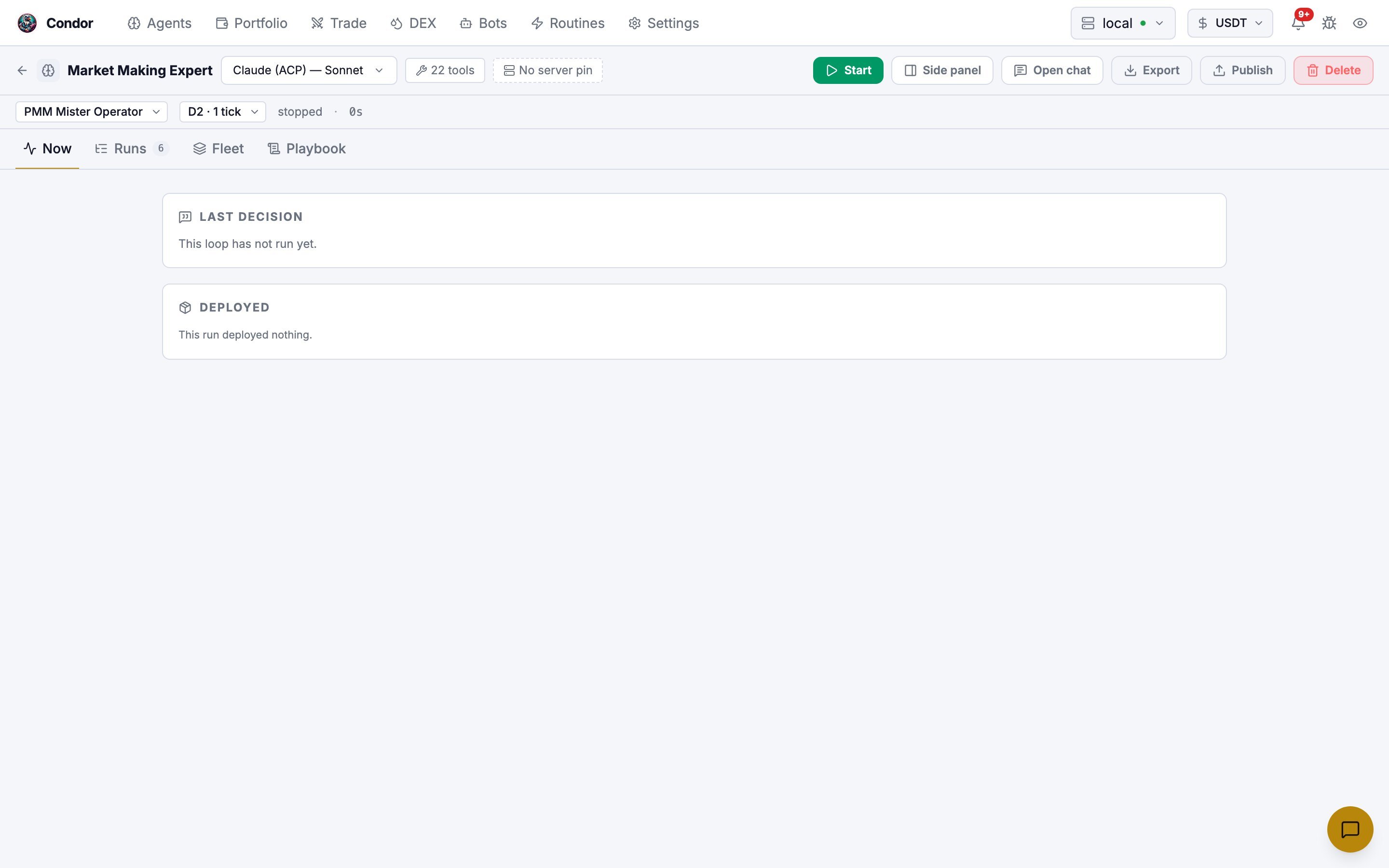
Dry Run and Run Once don’t create a session. Each writes one result that you read in the Runs tab.
After a Dry Run or Run Once, the Now tab still says “This loop has not run yet”. That is expected: Now follows loop sessions. Open Runs to see the result.
Pause, resume and stop
While a session runs, the Start button is replaced by Pause and Stop.
To stop the loop and wind its positions down, ask the agent in chat to shut its loop down. That runs an emergency shutdown, which closes this session’s executors according to the agent’s shutdown policy.
To change whether a loop starts again after Condor restarts, use the resumes on restart / stops on restart toggle in the Playbook tab. It applies to the running session and to future ones.
Read what the agent did
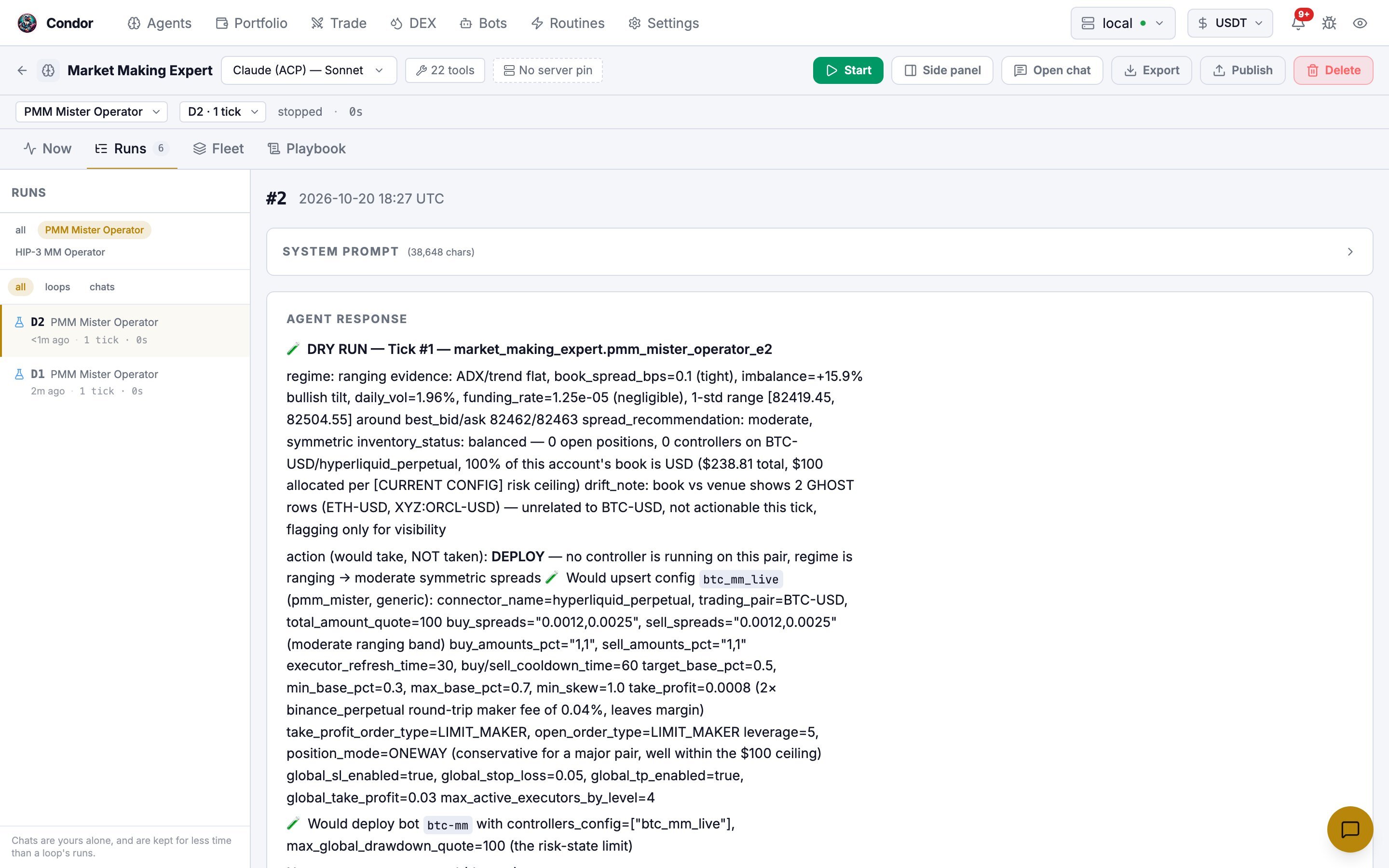
Open the Runs tab and pick a run. Each tick shows:- System Prompt: everything the agent was given for that tick
- Agent Response: its reasoning and decision
- Tool Calls: every tool it called, with the result
- Risk State: exposure, executor count and drawdown at the time
Notifications
Condor tells you about a loop when something needs your attention:- a tick error (once when it starts or changes, not on every tick)
- a tick skipped because a risk limit was breached
- a Dry Run or Run Once finishing or failing
- a loop reaching its
max_tickslimit - an emergency shutdown
From Telegram
Telegram has no buttons for loops. Talk to the agent instead:- Send
/agent, tap Talk to and choose the agent. - Ask in plain words. For example: “Is your loop running?”, “Pause your loop”, “Stop your loop” or “Shut your loop down and close the positions”.
control_agent tool, which can list, start, stop, pause, resume and shutdown loops. Starting a loop asks you to approve it first.
Next step
Routines
Extend agents with deterministic Python code