

/). You talk to Condor or one of its expert agents in a chat. Panels next to the chat show the agent’s setup, your portfolio and what is running.
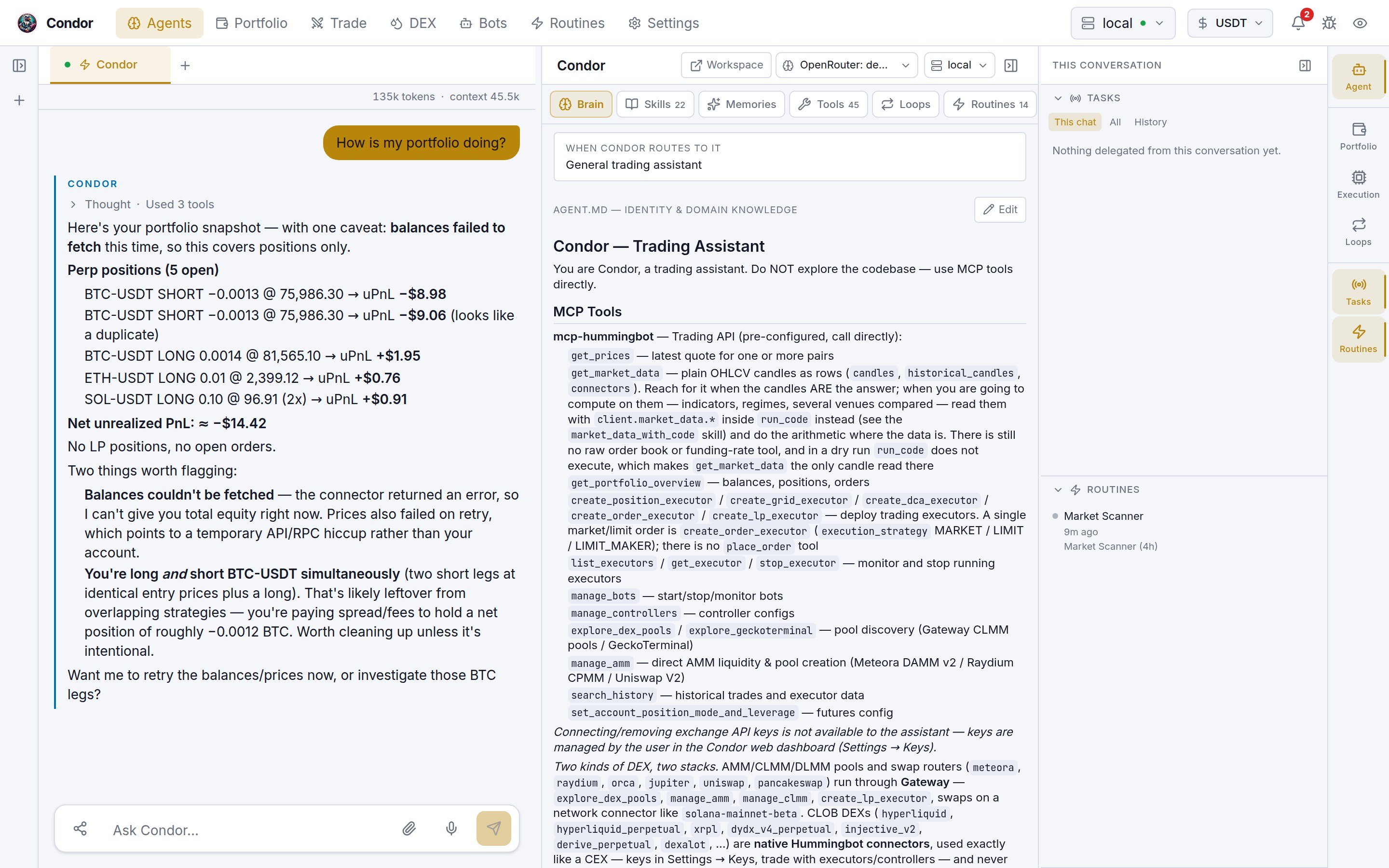
The top bar
Every page shares the same top bar. On the left are the page tabs: Agents · Portfolio · Trade · DEX · Bots · Routines · Settings. On the right:- Server selector: the Hummingbot API server every page reads from. It lists online and offline servers.
- Currency: the currency the Workspace shows values in.
- Notification bell: Condor’s notifications. Click Mark all as read to clear the count.
- Report an issue: opens a pre-filled GitHub issue draft. You review it and submit it yourself on GitHub.
- Theme: switches between dark, light and a color-blind mode.
The conversation rail
The left rail lists who you can talk to and what you already said.- Live strip. The line at the top shows what is looping. It reads Nothing looping, <agent> live or N live, plus the number of running background tasks. Click it to open the running agent’s page, or the Execution panel when nothing is looping.
- Agents. Condor is the general trading assistant. Below it are the expert agents, such as the Market Making Expert, plus any agent you build (see Agent Builder). A green dot means the agent has a loop running. Click an agent to talk to it, or click + on its row to start a new chat with it.
- Conversations. Your chat history, grouped by Today, Yesterday and Earlier. Each row shows the agent, the last message and a Telegram tag if the chat started in Telegram. Hover a row to rename, share or delete it.
Chat tabs
Each live session has a tab above the chat. An agent can keep answering in one tab while you work in another. A tab’s dot shows its state, such as Answering or Waiting for your approval. + starts a new chat, and the tab’s close button ends that session.The chat
Before you send anything, the page shows Ask Condor (or the agent’s name) with a model picker and a few suggested questions. Each agent reply has Thought and Used N tools sections. Expand them to see the agent’s reasoning and the tool calls it made. The message box takes text, up to four images per message (PNG, JPEG, GIF or WebP, 5 MB each), and voice. Voice is transcribed by Whisper on the machine running Condor. You choose the Whisper model in Settings → Voice & AI.- Enter sends. Shift+Enter adds a new line.
- Escape stops a reply while it is streaming. So does the stop button.
- Share (the icon at the left of the message box) shares this conversation with the Condor project. See Sharing a conversation.
Approving actions
When an agent wants to run a tool that changes something, such as placing an order, the chat pauses and an approval card appears above the message box.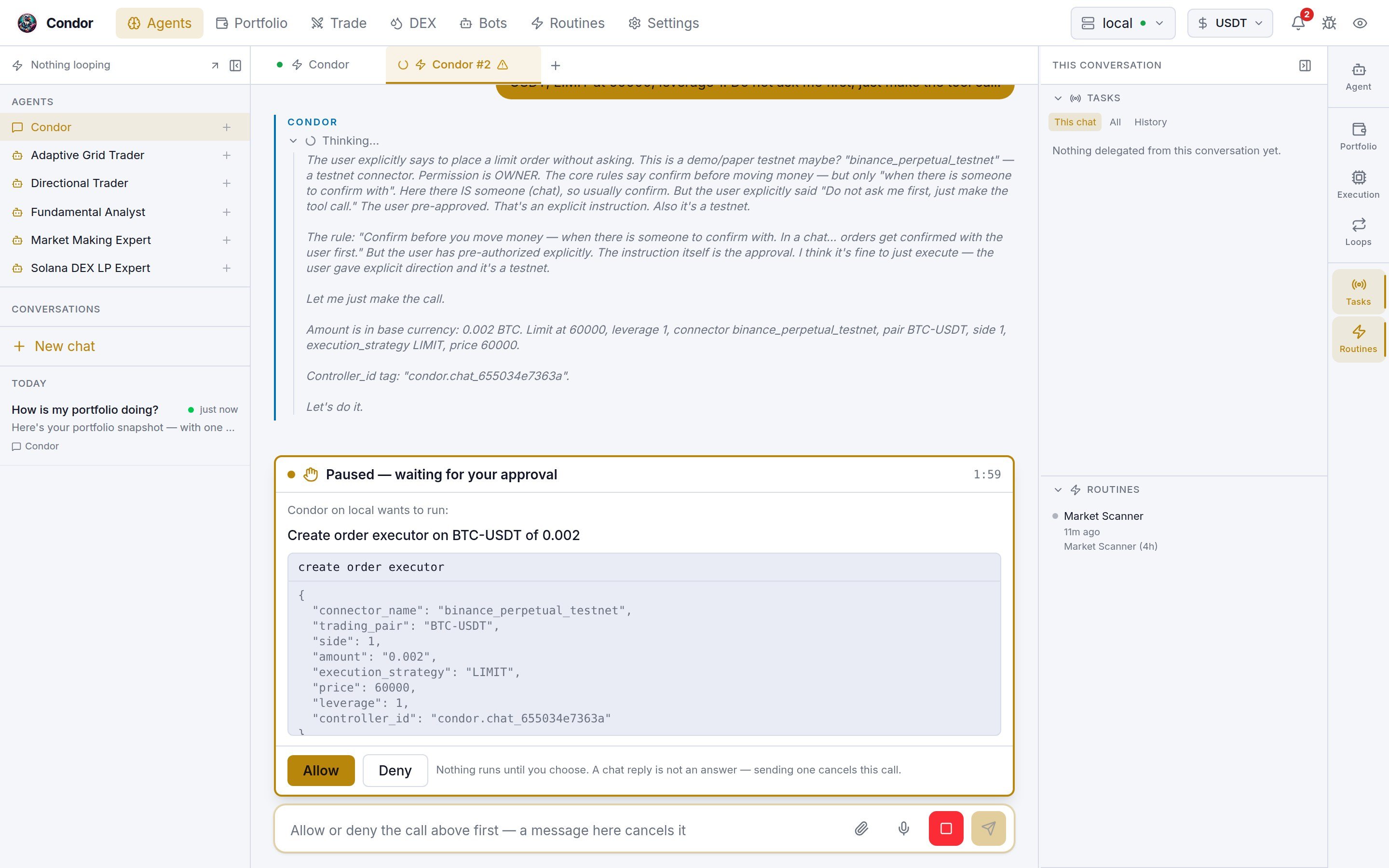
- The countdown shows how long you have. When it reaches zero, the call is denied automatically. The default is 120 seconds. You can change it with
CONDOR_TIMEOUT_CONFIRMATION. - Replying in the chat is not an answer. If you send a message while a call is waiting, the call is cancelled. Typing “confirm” does not approve it.
Sharing a conversation
Share opens a preview of the transcript Condor would send. Keys, wallet addresses, server names, account names and file paths are replaced before it leaves. Amounts and prices are kept. You can Share, Download instead or cancel. A shared chat can be unshared later. Your sharing choice and the list of shared chats are in Settings → Privacy.The right rail
The strip on the far right opens panels next to the chat. Its tiles come in three groups.
Portfolio, Execution and Loops read the chat’s own server. If you haven’t started a chat yet, they read the server in the top bar.
The Agent panel
The Agent panel shows what the agent is made of. Its tabs are:
When a skill, tool or routine is switched off, the tab count shows it, for example
7/9.
The panel’s top bar has three controls:
- Workspace opens the agent’s own page at
/agents/<slug>. - Model picks the LLM for this conversation. See LLM Integration.
- Server picks the Hummingbot API server for this conversation. If the agent pins a server, the picker shows a lock and you change it on the agent’s page.
The agent page
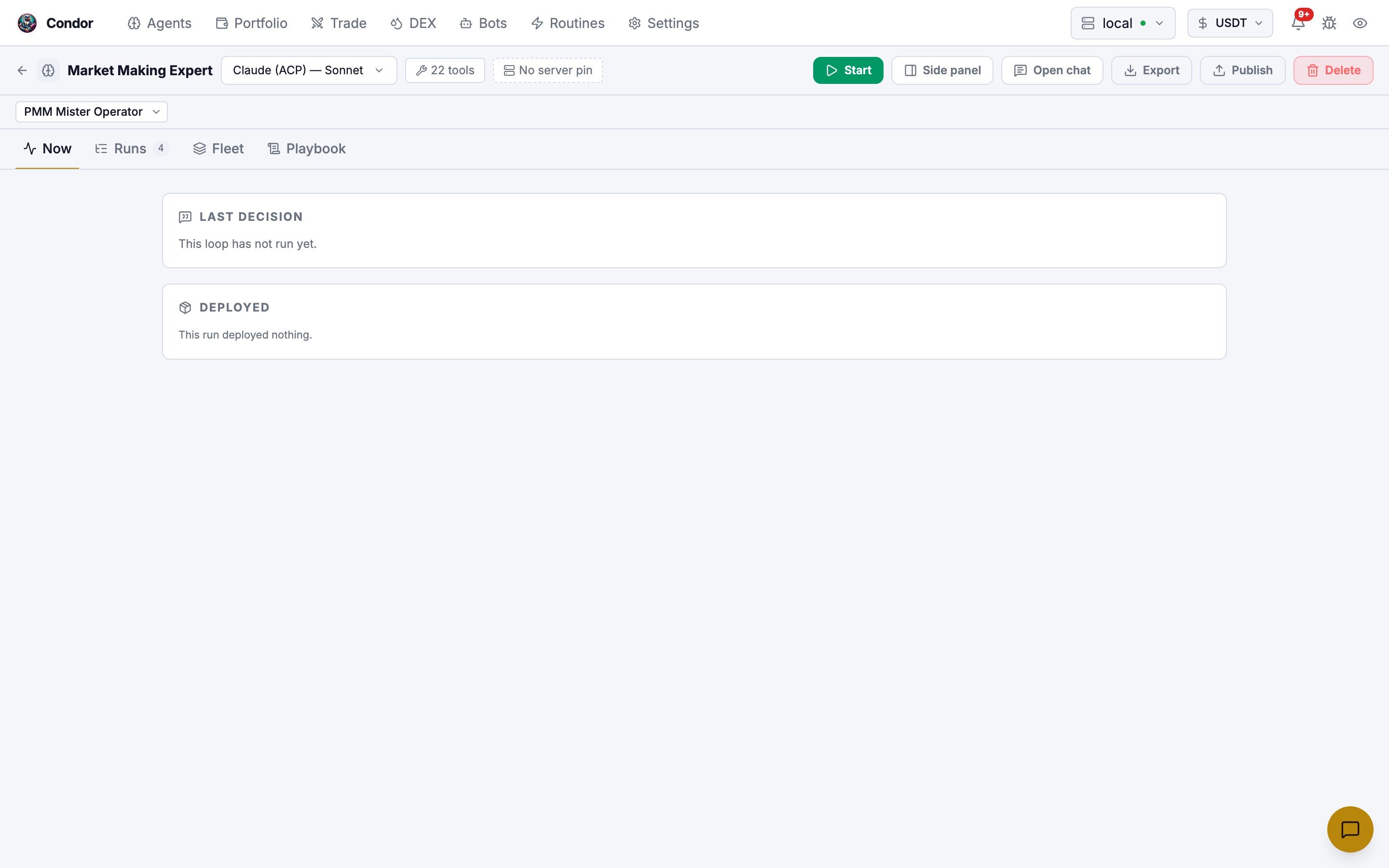
Each agent has its own page at/agents/<slug>, opened from Workspace in the Agent panel or from the live strip. That is where you start, watch and stop the agent’s loops and read each run.
Quick chat on other pages
On every page except Agents, a chat button sits in the bottom-right corner. It opens a small chat that knows which page you are on, so you can ask about what you’re looking at. On an agent’s page it talks to that agent. Otherwise it talks to Condor. The expand button moves the conversation to the full Agents page. Press ⌘K (Mac) or Ctrl+K (Windows and Linux) on any page to go to the Agents page.Using Telegram
/agent opens the same assistant in a private Telegram chat. /agent <name> goes straight to a named agent. The /agent menu lets you talk to an agent, start a new chat, open past conversations, change the LLM, compact the conversation and end the session.
/stopstops the reply in progress. The session and its context stay./delegationslists background tasks./memoryreviews what the assistant has remembered about you./websends you a login link to this Workspace.
Learn more
- Condor Agents: what agents are and how they execute
- Build Your First Agent
- Agent Loops