

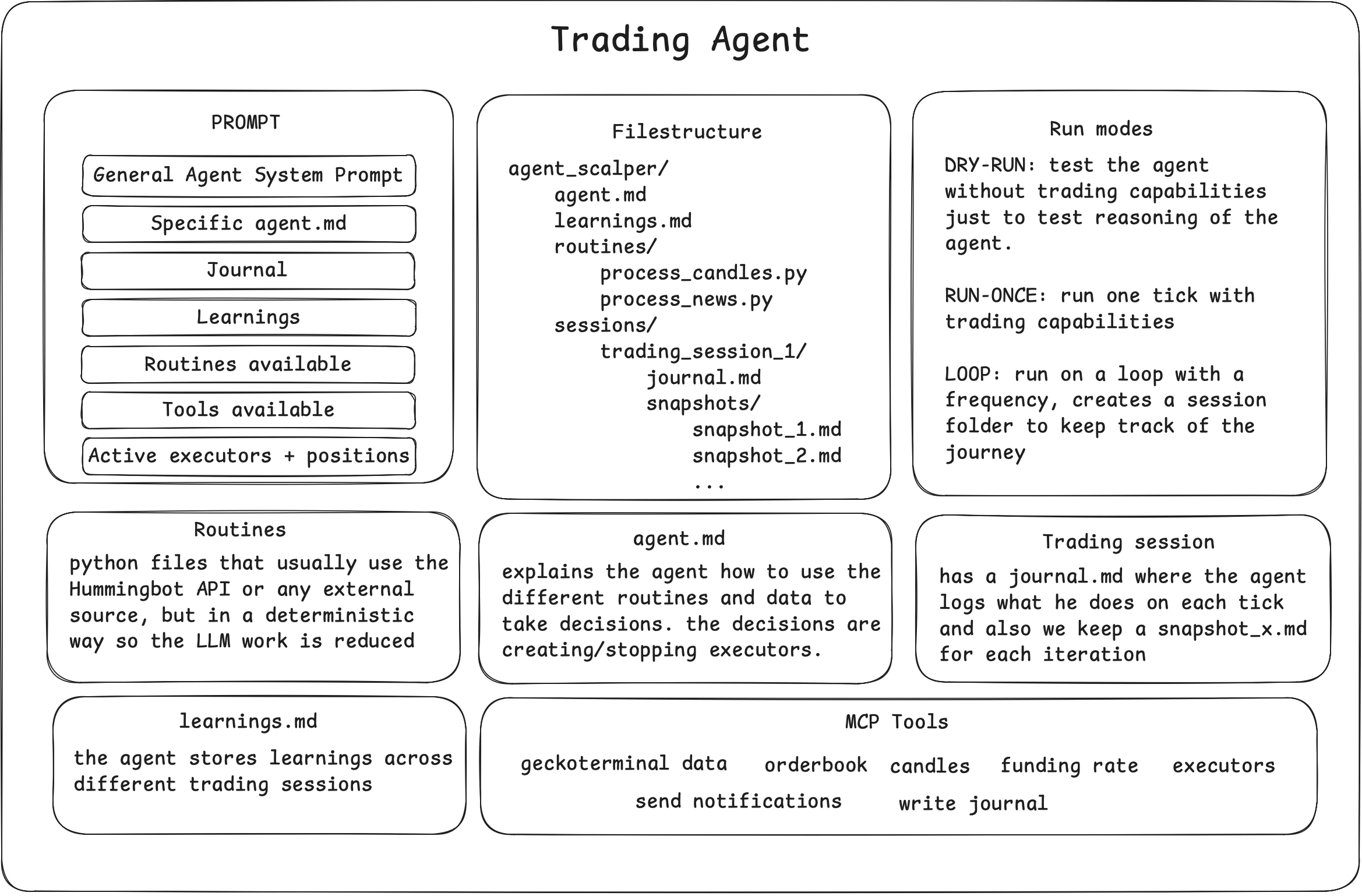
Design Philosophy
The Trading Agents Standard separates what LLMs do well—reasoning under uncertainty—from what traditional software does well—reliable, repeatable execution.
The result is an agent that thinks like a discretionary trader but acts like a systematic one, with full auditability across every tick.
Core Principle: Executor-Based Trading
Agents only act through Hummingbot executors. Each agent spawns executors with its owncontroller_id == agent_id, which provides:
- Isolation: Two agents on the same account never see or touch each other’s executors
- Virtual Portfolio: Each agent gets its own positions, breakeven prices, realized/unrealized P&L
- Position Handover: When an executor closes with
keep_position=true, the agent retains the inventory
Mental Model
An agent is a folder on disk and a tick loop in memory. The folder is its long-term memory; providers give it short-term situational awareness; the LLM is its decision function; executors are its hands; the risk engine is the wrist it can’t move past.Everything an agent owns is tagged with its
controller_id, making the system safely composable: any number of agents can share the same exchange account without stepping on each other.
Core Components
Run Modes
Quick Start
Via Telegram:Session Continuity
The~/condor directory stores all agent state, and Condor uses ACP (Agent Client Protocol) to connect to your LLM.
This means you can:
- Start a conversation on Telegram
- Continue it in Claude Code
- Switch to the web dashboard