

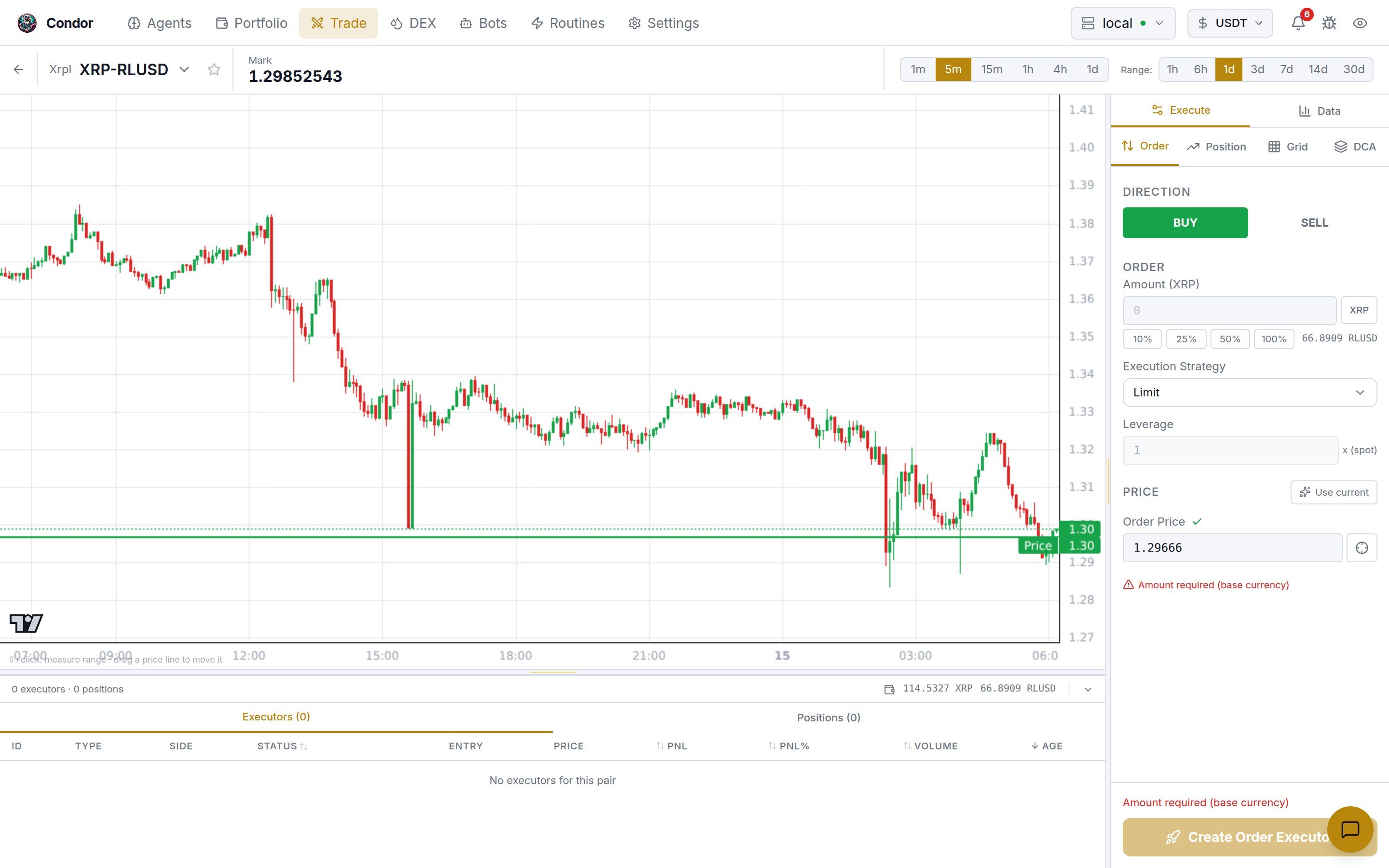
Choosing a market
The chip at the top left shows the venue and pair, for example Xrpl XRP-RLUSD. Click it, or press/ anywhere on the page, to open the market browser.
- The left rail lists venues in two groups:
- Your accounts: venues you have API keys for.
- View only: venues whose market data is public, so you can chart them without keys.
- The table lists the venue’s pairs with price, 24h volume and price change. You can sort by any column, search, filter by quote asset, or show Starred markets only.
- Press Esc to close it.
The chart
- Interval:
1m,5m,15m,1h,4h,1d. - Range:
1h,6h,1d,3d,7d,14d,30d. - Shift+click to start measuring. Then move the mouse to see the % change from that point.
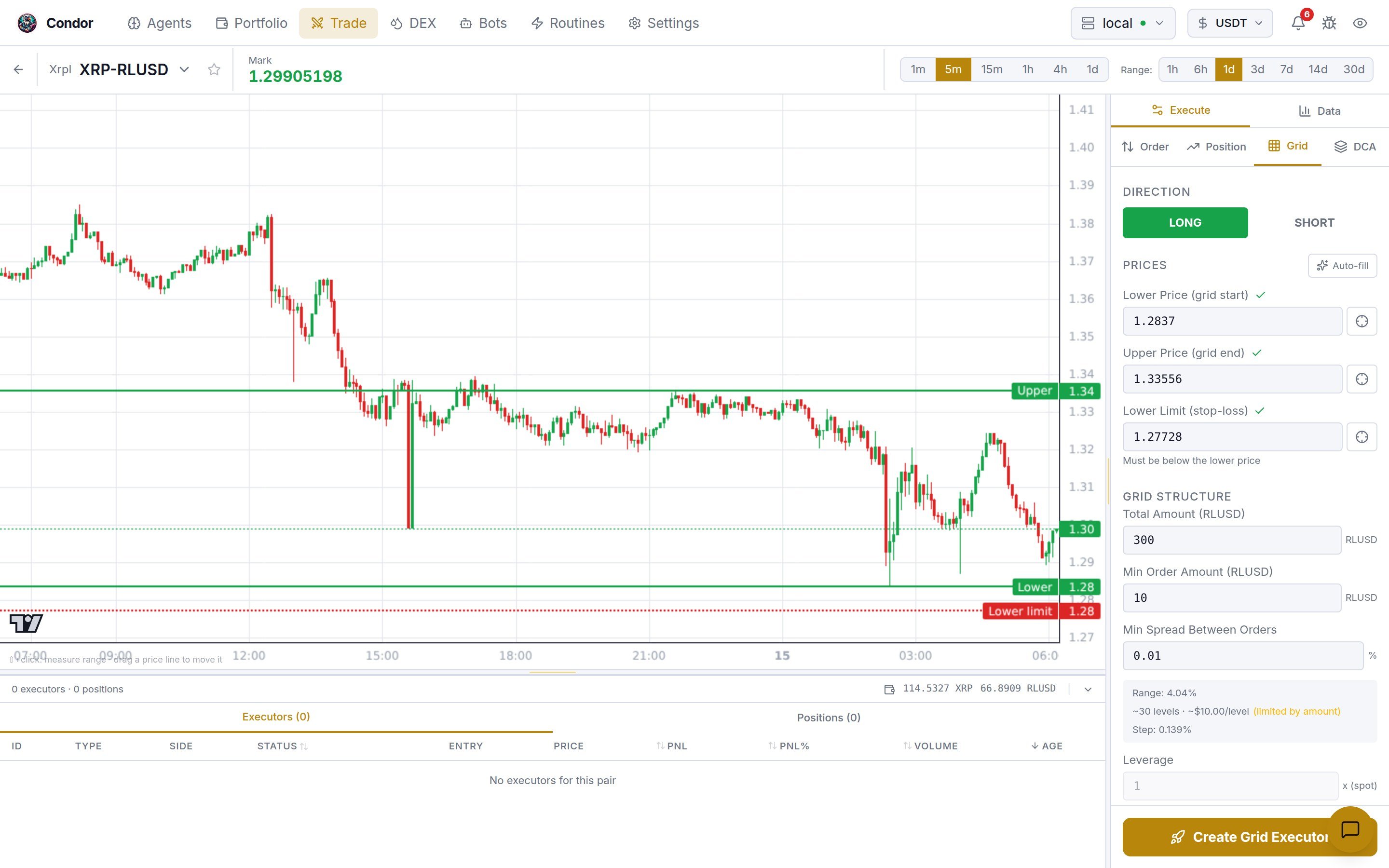
- Prices you set in a builder, such as grid bounds or a limit price, are drawn as lines. Drag a line to change the price.
- Executors on the pair are drawn on the chart too.
The Execute panel
The right panel has two tabs: Execute and Data. Execute holds one builder per executor type. Each builder ends with a Create … Executor button.
Which builders you see depends on the venue:
- A venue with an order book gets Order, Position, Grid and DCA.
- LP appears only on a venue that can hold a CLMM position. In practice those are Gateway networks, which you trade from the DEX page.
- A venue without Hummingbot market data gets Order only, with Market as its only strategy. That is what you see on a DEX pool.
The Data tab
Data replaces the builder with the live order book and recent trades for the pair.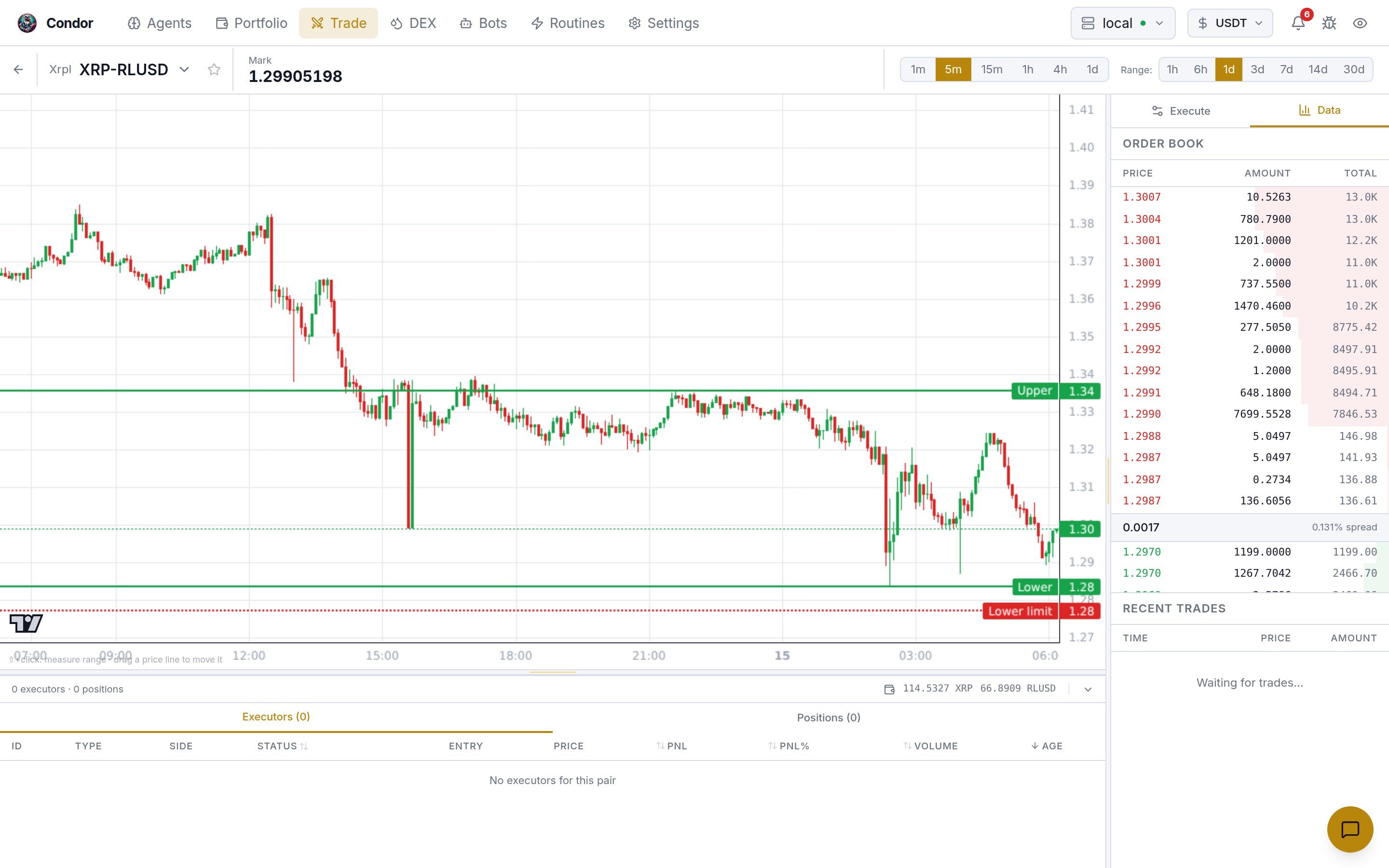
The bottom pane
Below the chart, a pane scoped to the current pair shows standalone executors, the ones on controllermain, which is where this page creates them. Executors that bots run don’t appear here. The pane shows:
- A summary line: the executor count, total PnL and volume, and your balances for the pair.
- Executors: active executors first, with type, side, status, entry, price, PnL, volume and age. Click one to highlight it on the chart.
- Positions: open positions on the pair.
Using Telegram
/trade opens one trading menu for both CEX and DEX venues. /swap is an alias for it. Pick the venue and pair, set the side, amount and order type with buttons, then tap 📊 Quote and ✅ Execute. Type an amount like $100 to size it in USD. The same menu has 📋 Orders (view and cancel) and 📊 Positions (view and close). Perpetual venues also get leverage and position-mode buttons.
Telegram places orders directly. To create grid or position executors from Telegram, use /executors.