

pmm_mister controller, and deploys or retunes a Hummingbot bot that runs that controller.
This guide runs its PMM Mister Operator loop on one pair you choose.
What you need
1
Condor connected to a Hummingbot API server
Follow Installing. In the Workspace the server selector in the top bar shows a green dot when the server is reachable.
2
Exchange keys for a perpetual account
Add them in Settings → Keys and Wallets → Add API Key, and start with a small balance. See Exchange Credentials. The Workspace doesn’t list testnet connectors such as
binance_perpetual_testnet; those can only be added through the Hummingbot API directly.3
A model the agent can run on
The agent’s model is shown next to its name on the agent page; click it to change it. See LLM Integration.
pmm_mister controller, which ships with the agent. If it isn’t on your server yet, the agent uploads it on its first tick. The agent page’s Controllers tab shows whether the server’s copy matches.
pmm_mister quotes in one-way position mode. If the bot’s logs show a “Position mode mismatch” warning, switch the account to one-way mode on the exchange.How the loop works
Every 120 seconds by default, the agent:- Reads the market. It runs two routines:
market_analyzerclassifies the regime (trending, ranging or volatile) from 5m, 15m and 4h candles, andmm_dashboardreports inventory, the bot’s position and its PnL. - Decides. It chooses one of DEPLOY, UPDATE, HOLD or STOP, and picks spreads, inventory band and take-profit for the regime.
- Acts. It writes a
pmm_misterconfig and deploys a bot named after the base asset (for exampleSOL-mm), or updates the running bot’s config.
max_global_drawdown_quote). The bot stops itself when its losses reach it. The risk gate refuses deploys without one.
Start the loop
1
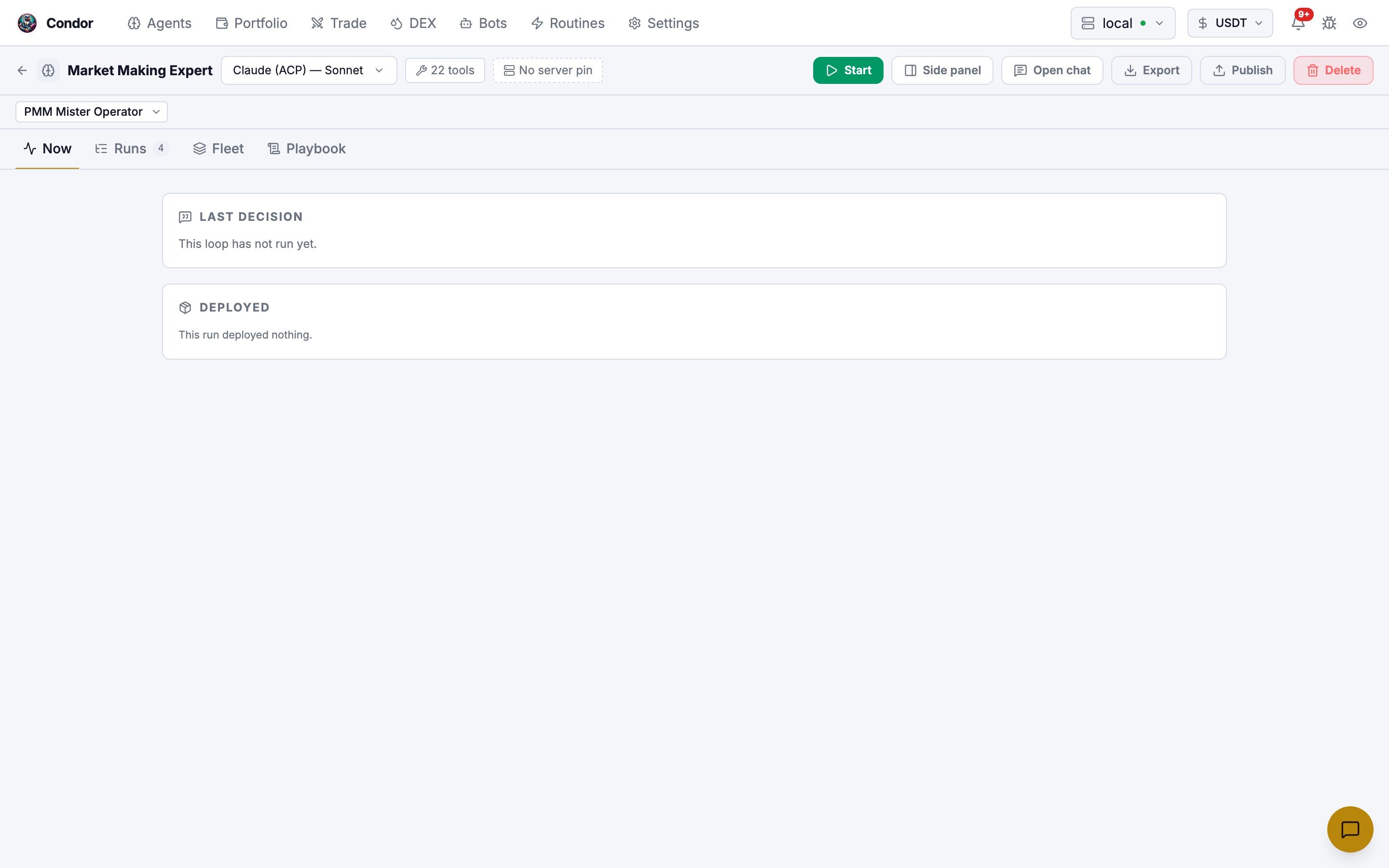
Open the agent
Open
/agents/market_making_expert in the Workspace. From the chat, you can also open the Agent panel for Market Making Expert and click Workspace.2
Pick the loop
In the loop selector under the agent’s name, choose PMM Mister Operator.
3
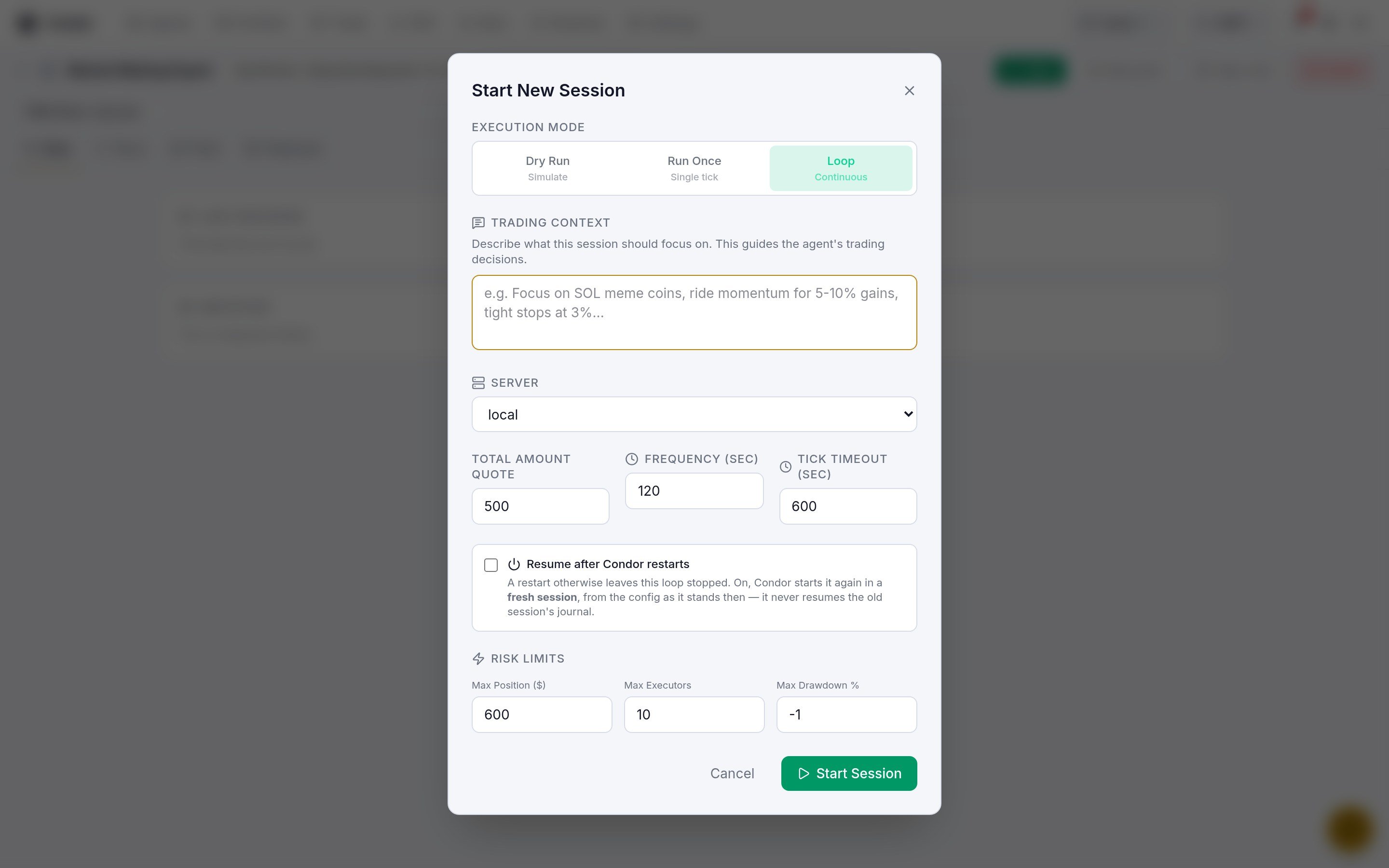
Click Start and fill in the dialog
4
Do a Dry Run
Choose Dry Run and click Run Dry Test. The agent runs one tick in which every action is refused, then stops. Open the Runs tab to read its decision.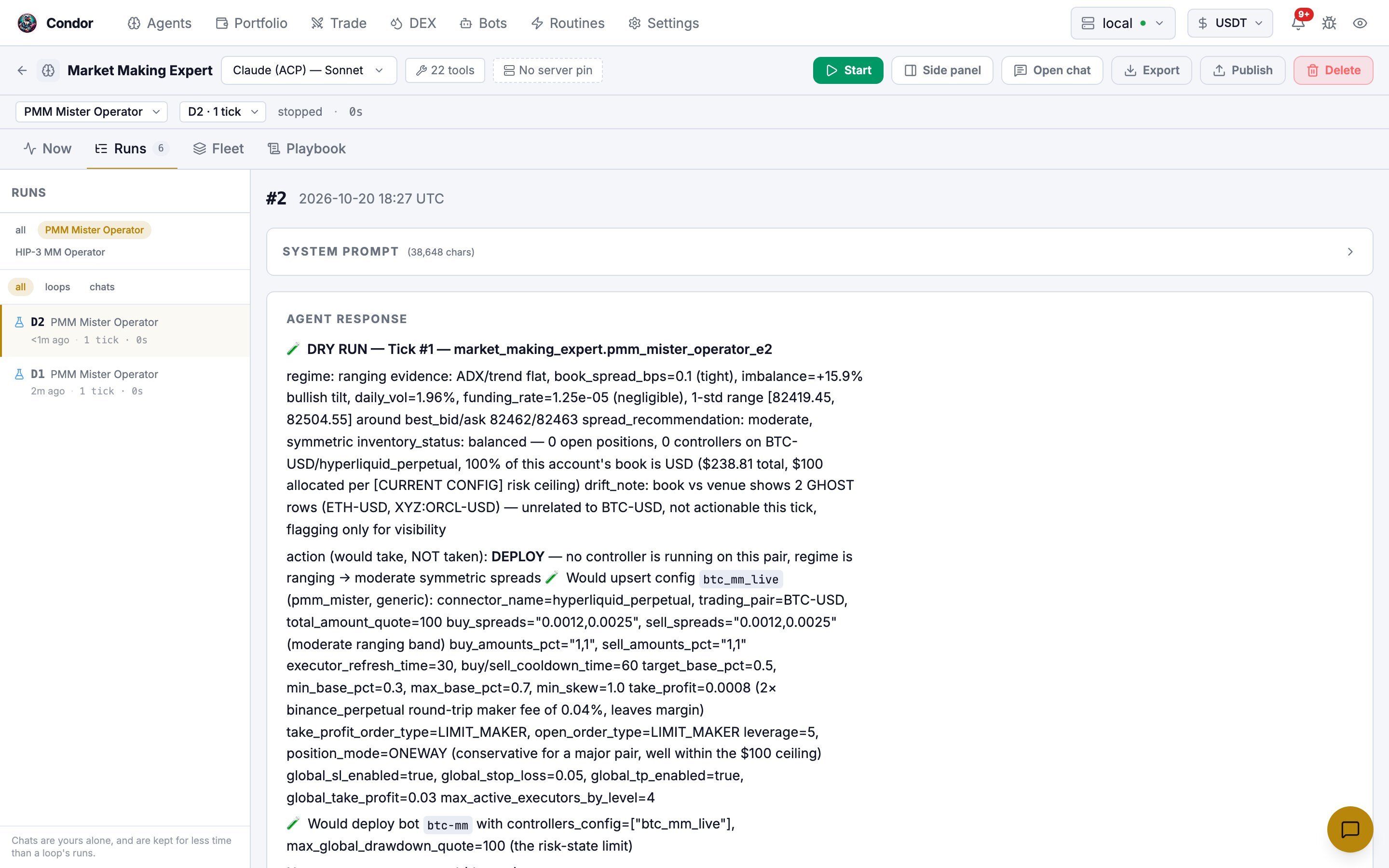
A dry run also refuses routines, so
market_analyzer and mm_dashboard don’t run. The agent improvises a market read with other tools. Use the dry run to check that the agent, server and exchange are wired up, not to judge the strategy.5
Run Once, then Loop
Run Once runs a single live tick. It can deploy a real bot, so use small capital. When that tick looks right, start again with Loop.Tick Resume after Condor restarts if the loop should start again automatically after Condor restarts. It starts a fresh session; it doesn’t resume the old one.
Watch it run
The agent page has four tabs:
Tick errors, risk-limit blocks and shutdown alerts appear in the notification bell, and in Telegram if you use it. Actions the risk gate refused are recorded in the session journal under Runs. The bot itself appears on the Bots page.
Stop it
Settings the agent tunes
These are the mainpmm_mister fields the agent sets on each deploy or update. You can ask the agent to use specific values, or edit the loop’s instructions in the Playbook tab.
Variant: HIP-3 MM Operator (Hyperliquid)
Variant: HIP-3 MM Operator (Hyperliquid)
The agent’s second loop, HIP-3 MM Operator, farms volume on Hyperliquid’s HIP-3 perpetuals issued by
xyz. It picks its own market each time it reselects, so you don’t name a pair in the Trading Context.- It needs a
hyperliquid_perpetualaccount. In Settings → Keys and Wallets, click Add API Key and choose Connect Hyperliquid. - It ticks every 300 seconds and reselects the market every 30 ticks.
- HIP-3 pairs use an uppercase issuer prefix, for example
XYZ:SPCX-USD.
From Telegram
Telegram has no Start button for loops. Ask the agent instead:- Send
/agent, tap Talk to and choose Market Making Expert. - Ask it to start its loop, naming the loop, pair and capital. For example: “Start the pmm_mister_operator loop for SOL-USDT on binance_perpetual with 100 USDT.”
- Approve the confirmation Condor shows before the loop starts.
/stop only cancels the reply the agent is writing; it doesn’t stop a running loop.
Learn more
- Architecture: how loops, sessions and the risk engine work
- Guide: Solana DEX LP Expert Agent: the same workflow for DEX liquidity
- Bots: watching and stopping the deployed bot