

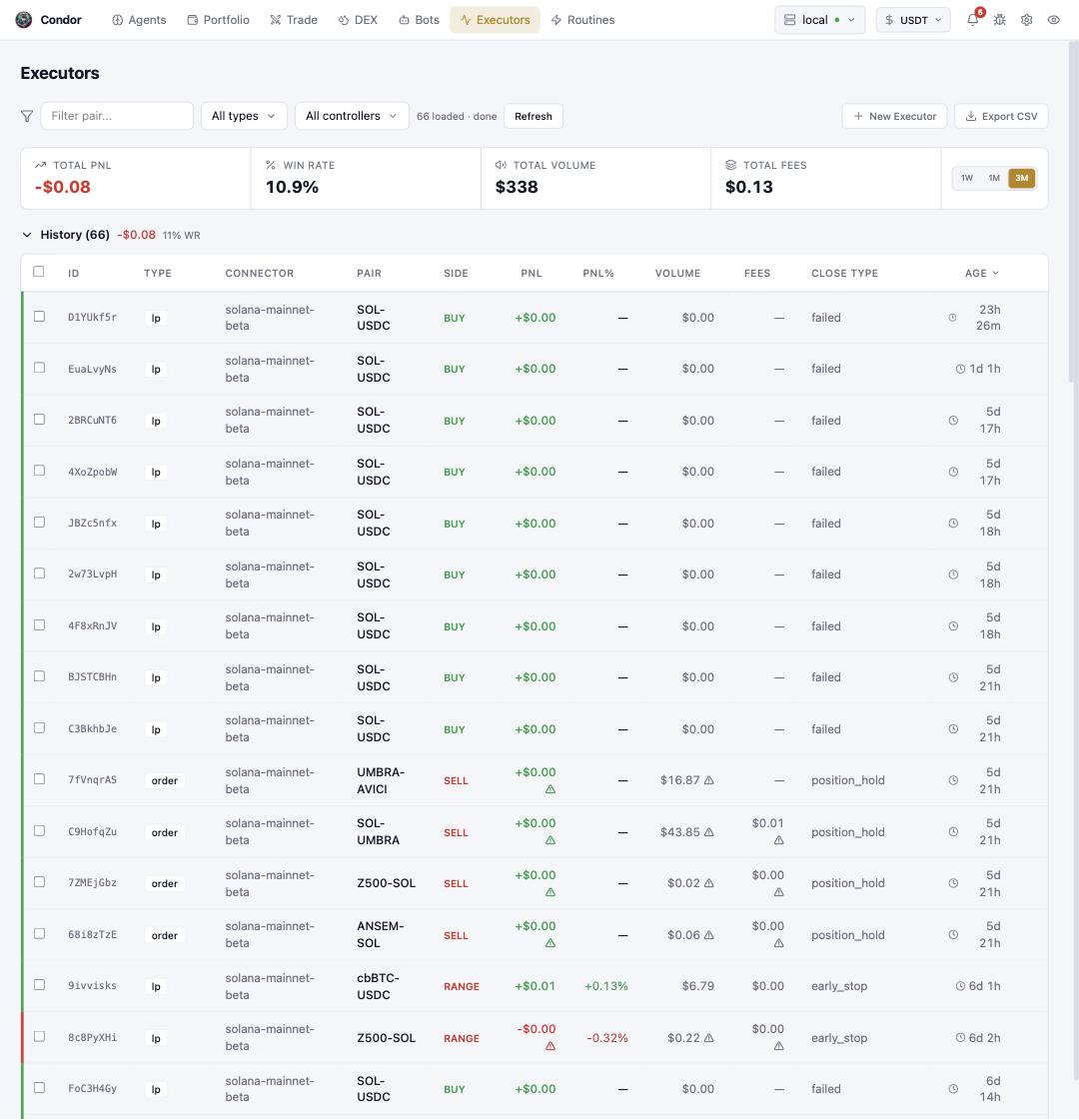
Navigating the page
- Filter bar — narrow by trading pair, executor type, or controller; Refresh re-pulls, Export CSV takes the table with you, and + New Executor opens the same builders as the Trade page.
- Stat strip — total PNL, win rate, total volume, and fees over the selected window (
1W / 1M / 3M). - History table — one row per executor: ID, type (
order,lp,grid, …), connector, pair, side, PNL, volume, fees, close type, and age. Close type is the honest column —early_stop,position_hold, orfailedtells you how an executor ended, not just what it earned. Warning glyphs mark rows with caveats worth opening.
Using Telegram
/executors deploys and manages executors from chat: build one interactively (the same order, position, and grid parameters as the Trade page), then track it in 📜 History with per-executor detail, 🔄 Retry for failed ones, and refresh. Agents you talk to in /agent create executors the same way, tagged to them.
Learn more
- Executors Overview — the model, and every type in depth
- Position Handover — what happens when an executor ends but the position stays