

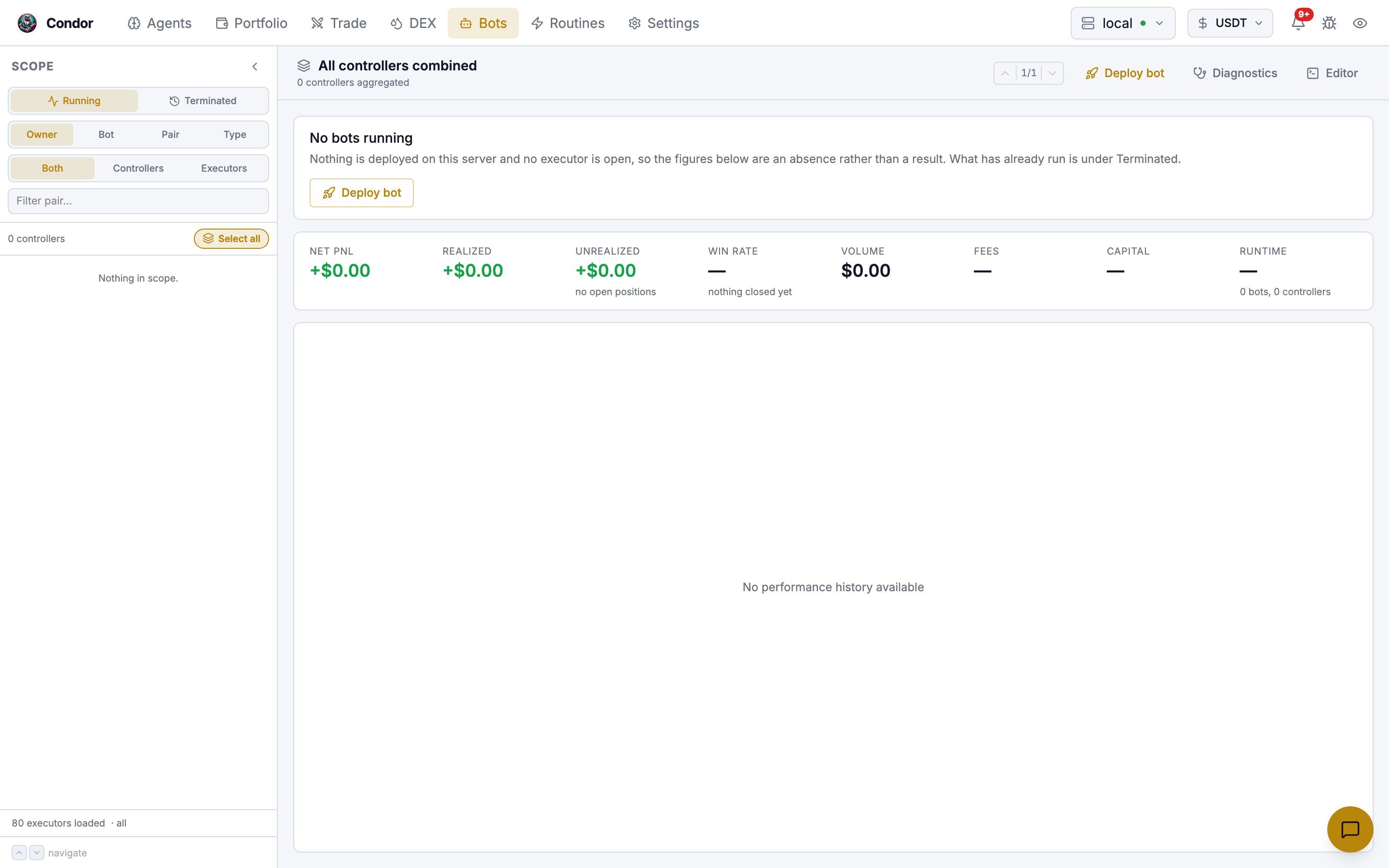
The Scope sidebar
Three toggles at the top of the sidebar decide what the tree below them lists.
With Terminated selected, a fourth strip sets how far back to look: 1W, 1M, 3M or All.
Below the toggles you can narrow the tree further:
- Filter pair… matches trading pairs.
- Controller type, Executor type and Agent chips appear when there is more than one value to choose from. Executor type is hidden in Controllers mode. Clear all filters resets them.
The report pane
KPI strip
Every scope shows the same eight tiles: Net PnL, Realized, Unrealized, Win rate, Volume, Fees, Capital and Runtime. Fees counts executor fees only, so treat it as a lower bound. When executors in scope have closed, a row of close-type counts (for example take profit, stop loss, early stop) sits under the tiles. Below the strip is the PnL chart for the scope. For a single executor you can switch the chart between Price (candles with the executor’s entry, exit and levels) and PnL.Bottom tabs
When the scope has records, tabs under the chart open:- Positions held — every open position in scope.
- Executors — one row per executor: ID, type, connector, pair, side, PnL, PnL%, volume, fees, Close Type and age. Tick rows to Export CSV or Stop Selected.
- Breakdown — the scope’s totals split by instrument and venue.
Actions
The buttons in the header depend on the scope you selected.- Stop bot stops the bot’s container and archives its data. The bot then appears under Terminated.
- Pause turns on the controller’s kill switch: it cancels its orders and stops quoting, but keeps its config and any position it holds. Start turns it back on. Other controllers in the same bot keep running.
- Config opens the running controller’s config as YAML. Save pushes the change to the live bot. Only fields the controller marks as updatable take effect; see Updating a running controller.
Deploy bot
Deploy bot opens a dialog that starts a new bot from one or more saved controller configs.- Search for and click configs to select them. They’re grouped by controller type.
- Each selected config opens in an inline editor. Changes are saved to the config before the bot starts, and the button changes to Save & Deploy.
-
Optionally open Advanced Settings:
- Click Deploy.
Editor
Editor opens the Controllers & configs window, a code editor for the files on the server.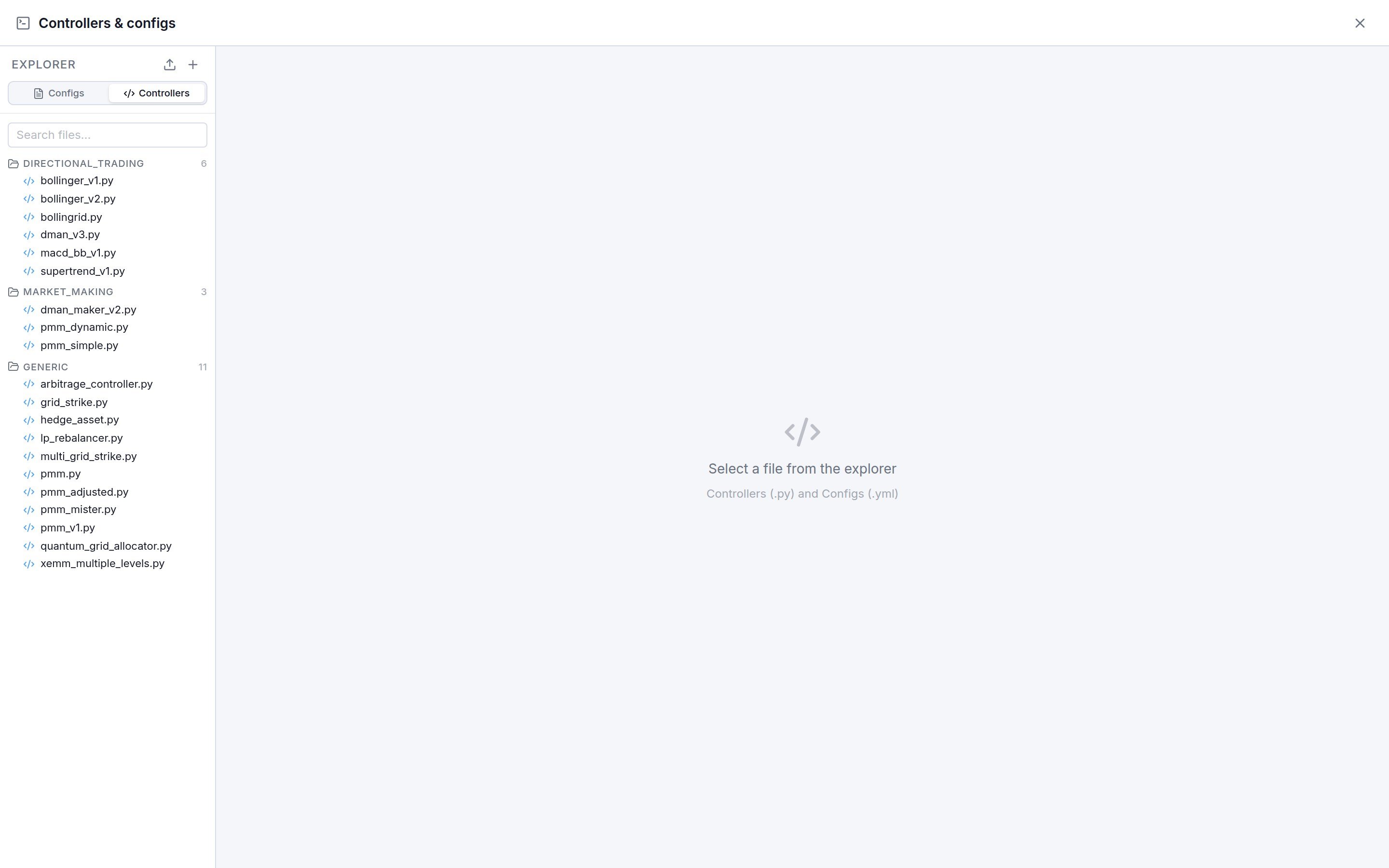
- The Explorer switches between Configs (
.yml, grouped by controller) and Controllers (.py, grouped intodirectional_trading,market_makingandgeneric). Search files… filters the list. - Open files in tabs and edit them. Save writes the file to the server, Reset discards your edits, and Delete removes the file. With two or more tabs open you can split the view.
- The upload button opens Upload: choose Config (.yml) or Controller (.py), then drop or paste the file.
- The + button creates a New Config from a controller’s template.
- Right-click a config to Clone or Delete it.
Executors
Executors no longer have their own page. They are part of this browser: choose Executors in the records toggle, or set Group by to Type, to see them across the server. To open a new executor, use the Trade page.Using Telegram
/bots lists your running bots, one button per bot, plus 📜 Historical for archived runs, 🔄 Refresh and ❌ Close.
- Open a bot to see its controllers. Each controller row has a button to open it and a quick ⏸ / ▶️ toggle. The bot itself has 📋 Logs and 🛑 Stop Bot, which stops and archives it.
- Open a controller for its detail. Every controller can be stopped and started.
grid_strikecontrollers also get 📊 Chart, andpmm_mistercontrollers get 📋 Clone.
/new_bot opens your controller configs for the types Condor has Telegram forms for: grid_strike, pmm_mister and pmm_v1. Select one or more and choose 🚀 Deploy, then answer the prompts for instance name, credentials profile, the two drawdown limits and the Docker image. The same menu has ➕ New to create a config, ✏️ Edit, 🗑️ Delete and 📤 Upload (YAML configs).
/executors lists open executors and has two creation wizards, 📐 Create Grid and 🎯 Create Position, plus 📜 History.